Create (Fascicle) Geometry
In NRV, geometries are managed through dedicated classes that allow you to define the shape and structure of fascicles. Custom geometries are currently only used to define fascicles, but this may be extended in the future to nerves and electrodes.
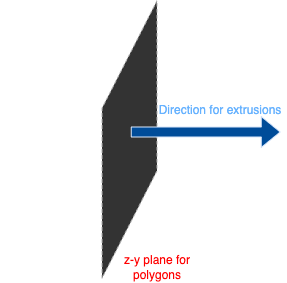
All geometries share a common setup, as described in the figure below:
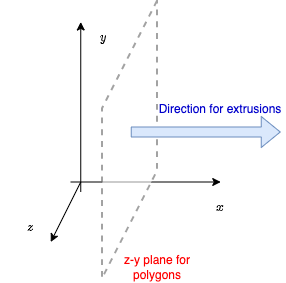
On the (x, y, z)-frame:
All extrusions are automatically performed in the direction of the axons, i.e., along the x-axis.
As a consequence, all 2-D shapes (circles, ellipses, or polygons) are constructed in the z-y plane. By default, x is often assumed to be zero.
Warning
For now, custom geometries are only used to define fascicles. This may be extended in the future to both nerves and electrodes.
Geometry Base Class: CShape
All geometry classes inherit from the base class CShape, which defines the required interface for all shapes.
Principle
To define a new geometry, you need to implement the following methods:
is_inside()Checks if a given point is inside the C-shape. Required for axon placement and meshingget_point_inside()Returns coordinates of n points randomly picked inside the shape. Required for axon placementget_trace()Returns the trace of the geometry as a list of points. Required for meshing and plottingrotate()Rotates the shape. Required for fascicle placementtranslate()Translates the shape. Required for fascicle placement
And the following properties:
area()Area of the shape in \(\mu m^2\). Required for meshingperimeter()Perimeter of the shape in \(\mu m\). Required for meshingbbox_size()Size of the bounding box of the shape. Required for meshingbbox()Coordinates of the bounding box as anumpy.ndarrayin the following format \(y_{min}, z_{min}, y_{max}, z_{max}\). Required for meshing
Example:
- Here is a very simple example showing how to create a custom class inheriting from
CShape: from nrv.utils.geom import CShape class MyShape(CShape): def get_trace(self): # Return list of (y, z) points on the shape boundary pass def is_inside(self, point: tuple, delta: float = 0, for_all: bool = True): # Check if the point or list of points is inside the shape pass def get_point_inside(self, n_pts: int = 1, delta: float = 0): # Return an np.ndarray of random points inside the shape pass
Builtin Shapes
NRV provides several built-in geometries for fascicles. The following table summarizes the available shapes:
Shape Name |
Class |
Init arguments |
|---|---|---|
Circle |
||
Ellipse |
||
Polygon |
vertices ( |
See also
Example 19 — Implementation of an instance of each shape.
Example
- Here is a simple example showing how to create a circular geometry:
- From the class:
- Using the magic function
create_schape()
- Using the magic function
Extending Geometries
To define your own custom geometry, subclass CShape and implement the required methods as shown above.
Note
For more details on each geometry class, refer to the API documentation.
Tip
For other examples of geometry, especially those linked with axon populations (see the next section in the user’s guide), please have a look at: